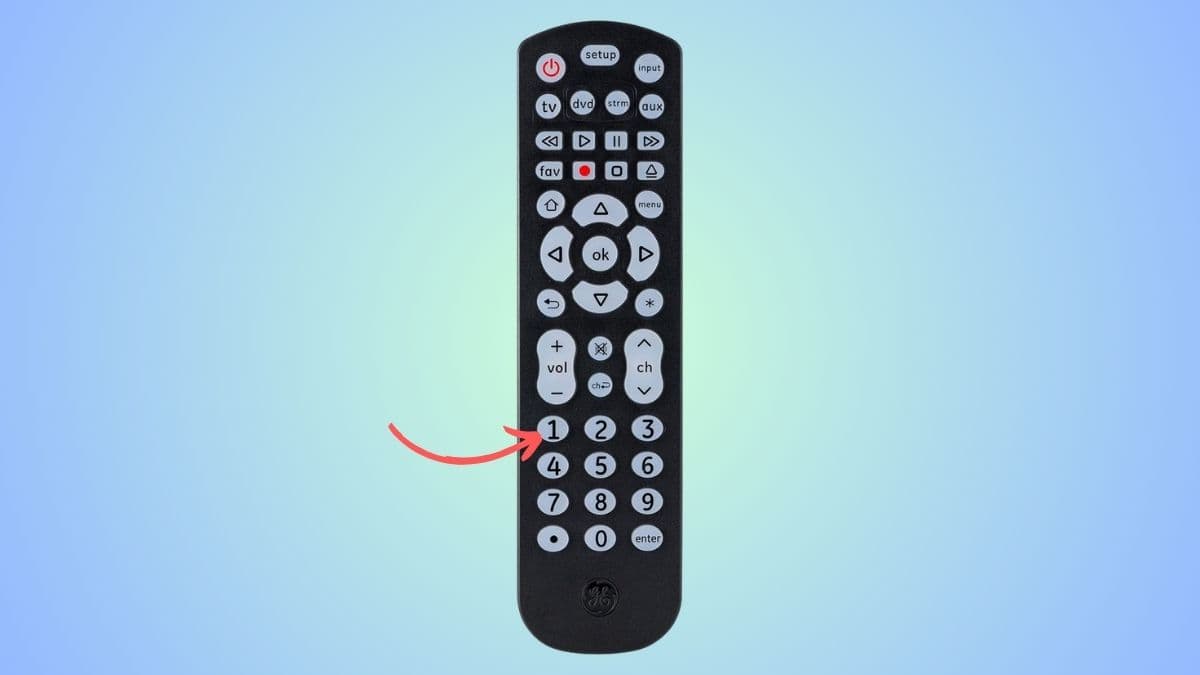
GE Universal Remotes Codes are one of the most widely used remote controls for TVs and home entertainment systems. Whether we have lost our original remote or simply want one remote to control multiple devices, GE Universal Remote Codes (by Jasco) make life much easier.
The most important part of using these remotes is knowing the correct GE universal remote codes. These codes help the remote “talk” to your TV, DVD player, or streaming device. In this guide, we will go through everything in a simple and practical way so we can set up our remote without confusion.
Quick Info About GE Universal Remotes Codes
| Feature | Details |
| Brand | GE (Jasco Products) |
| Code Type | 4-digit codes |
| Common Setup Method | Manual code entry / auto search |
| Popular Code Format | 0001, 0041, 1001, 6021, etc. |
| Devices Supported | TV, DVD, Blu-ray, streaming boxes, sound systems |
| Setup Button | Yes (used for programming mode) |
| Difficulty Level | Very easy |
GE remotes are designed for simple setup, but the key is using the correct code for your device brand.
What Are GE Universal Remote Codes?
GE universal remote codes are 4-digit numbers that connect your remote with a specific device brand. Every TV or device brand has different codes because each manufacturer uses different infrared signals.
For example:
- LG TVs may use codes like 0001 or 6021
- Sony TVs may use 1071 or 5811
- Insignia TVs may use 2891 or 0371
When we enter the correct code, the remote learns how to control that device.
How GE Universal Remotes Codes Work
We can think of a GE universal remote as a translator. Our TV speaks one “language,” and the remote needs the correct code to understand it.
Here is what happens:
- We enter a 4-digit code into the remote
- The remote stores that code
- It sends the correct infrared signals
- The TV responds to power, volume, and input commands
If the code is wrong, nothing will work properly, so choosing the right code is important.
How to Program GE Universal Remote (Step-by-Step)
We don’t need any technical knowledge. Just follow these simple steps:
Step 1: Turn On Your Device
Make sure the TV or device is switched ON manually.
Step 2: Hold the Setup Button
- Press and hold the Setup button
- Wait until the red indicator light stays ON
Step 3: Select Device Button
Press:
- TV for television
- DVD for DVD player
- AUX for sound systems or other devices
Step 4: Enter the 4-Digit Code
Now enter a code from the list (example: 0001, 6021, 1071)
Step 5: Test the Remote
Try:
- Power button
- Volume buttons
- Channel buttons
If it works, the setup is complete.
If not, repeat the process with another code.
GE Universal Remote Codes by Brand
Let’s break it down so we can quickly find the right code.
LG TV Codes for GE Universal Remote
LG TVs are very common, and GE remotes support them well.
Popular LG codes:
- 0001
- 0041
- 0051
- 6021
- 1001
If one code doesn’t work, we simply try the next one until the remote responds correctly.
Sony TV Codes
Sony TVs often require slightly different code sets.
Common Sony codes:
- 1071
- 5811
- 0000
- 1000
- 6001
Sony devices sometimes respond better when we try multiple codes slowly.
Insignia TV Codes
Insignia TVs are widely used in budget smart setups.
Popular codes:
- 2891
- 0371
- 0131
- 0001
If one fails, Insignia TVs usually respond within the first 3–4 attempts.
Samsung TV Codes
Samsung TVs also work smoothly with GE remotes.
Try these:
- 0101
- 1001
- 0071
- 0001
- 0451
Samsung sometimes supports multiple codes at once, so testing is key.
Vizio TV Codes
Vizio TVs are popular in smart home setups.
Common codes:
- 0178
- 0128
- 1018
- 0009
- 0112
RCA TV Codes
RCA devices are older but still widely used.
Try:
- 1004
- 0004
- 0054
- 1144
Universal GE Remote Code List (Mixed Popular Codes)
Here are commonly working 4-digit GE remote codes across brands:
- 0001
- 0000
- 0041
- 0051
- 0071
- 0101
- 0112
- 0131
- 0178
- 0371
- 0451
- 1001
- 1004
- 1071
- 1144
- 2891
- 5811
- 6001
- 6021
These codes are often enough to program most modern TVs.
What If the Code Doesn’t Work?
Sometimes the first code we try doesn’t work, and that’s completely normal. Here’s what we should do:
1. Try Another Code
Most brands have multiple codes, so switching helps.
2. Make Sure TV Is On
The remote cannot sync if the device is OFF.
3. Replace Batteries
Weak batteries often cause programming failure.
4. Aim Directly at TV
Infrared signals must be straight and clear.
5. Repeat Setup Process
Sometimes it works only after 2–3 attempts.
Auto Code Search Method (No Code Needed)
If we don’t want to manually enter codes, GE remotes also support auto search.
Steps:
- Turn on the TV
- Hold Setup button until light stays on
- Press TV button
- Press Channel Up (CH+) repeatedly
- Stop when the TV turns off
- Press Setup again to save
This method is very useful when we can’t find the correct code.
Programming Multiple Devices
One GE remote can control:
- TV
- DVD player
- Sound system
- Streaming box
We just repeat the same process for each device using different mode buttons (TV/DVD/AUX).
Common Problems and Fixes
Remote Not Responding
- Check batteries
- Re-enter code
- Make sure device is ON
Volume Not Working
- Try a different code
- Some codes only support power/channel
TV Turns Off but Won’t Turn Back On
- Code may be partially compatible
- Try another code set
Buttons Work Randomly
- Interference or wrong code
- Reprogram device
Tips for Best Performance
We can make setup smoother by following these simple tips:
- Keep a list of working codes for future use
- Label devices after setup
- Don’t rush during code entry
- Always test volume and power after programming
- Use fresh batteries for best signal strength
Why GE Universal Remotes Codes Are Popular
GE remotes are popular because:
- They are affordable
- Easy to program
- Support many devices
- Work with older and newer TVs
- Don’t require internet or apps
For most households, they are a simple “plug and play” solution.
FAQs:
What is the most common GE universal remote code?
The most commonly used codes are 0001, 0041, 1001, and 6021, but it depends on the TV brand.
Why is my GE remote not working with my TV?
It could be due to wrong code, weak batteries, or incorrect setup steps.
Can one GE remote work with all TVs?
Yes, GE Universal Remotes Codes are designed to work with most TV brands.
How many codes do I need to try?
Usually 2–5 codes are enough to find the correct one.
Can I reset my GE remote?
Yes, holding the Setup button for a few seconds and reprogramming resets it.
What if I lose my code list?
We can always use the auto search method instead of manual codes.
Final Thoughts:
GE Universal Remotes Codes make controlling multiple devices very simple, but the real key is using the correct GE universal remote codes. Once we understand how the setup works, it becomes a quick and stress-free process.
Most of the time, we just need a few tries with codes like 0001, 1001, 6021, or 1071 to get everything working perfectly. And if manual setup doesn’t work, the auto search method is always there as a backup.
With the right approach, we can easily turn a confusing remote setup into a simple, one-time task and enjoy full control of our entertainment system without any hassle.